Trip.com 內地高鐵優惠券:立即享有 5% 折扣!
🔥 新用戶透過 Trip.com 訂購內地火車票、高鐵票可享 5% 優惠!🔥

Hong Kong’s High Speed Rail connects to multiple cities across Mainland China, giving travelers a convenient cross-border way to get around and a go-to option for many. That said, plans can change, so it’s especially important to understand the refund and ticket change policies.
Trip.com has put together everything you need to know, including Hong Kong High Speed Rail refund and change policies, how to request a refund or make changes on the Trip.com platform, how to buy Hong Kong High Speed Rail tickets, and answers to frequently asked questions and other practical tips.
For the Hong Kong High Speed Rail, the ticket refund policy is time-based—the refund amount and any service fee are determined by when you request the refund.
Tickets purchased through the MTR official website or at ticket offices can be refunded before the train departs. The amount you’ll get back depends on how far in advance you request the refund and will be returned on a pro-rated basis.
For tickets under the same order, you can choose to refund all tickets or only some of them. The deadline to request a refund depends on your departure point: for trains departing from Hong Kong, it’s 45 minutes before departure; for trains departing from Mainland China, it’s 30 minutes before departure.
Please note that some special promotional fares may not be eligible for refunds; the exact rules are subject to the terms and conditions at the time of purchase.
Before the train departs | Refund Percentage |
|---|---|
Within 48 hours up to the specified ticket refund deadline | 50% of the paid fare |
48 hours to 7 days | 70% of the paid fare |
8 days or more | 95% of the fare paid |
The channels and procedures for ticket refunds vary slightly depending on whether you paid in cash or by electronic payment at the time of purchase. Tickets bought with an Octopus card at Hong Kong West Kowloon Station, or purchased through Hong Kong agents using any form of payment, are all treated as cash purchases. Here’s how to process a refund:
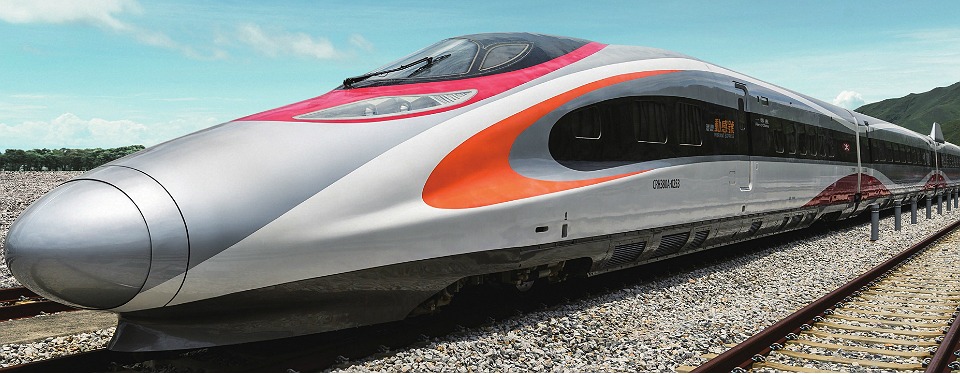
Image source: Hong Kong High-Speed Rail official website
Here’s how refunds work for high-speed rail tickets purchased on Trip.com:
Refund Request Time | Refund fee |
|---|---|
8 days or more before departure | 5% of the fare |
48 hours to 7 days before departure | 30% of the fare |
Within 48 hours before departure | 50% of the fare |
Refund Scenarios | Refund Method |
|---|---|
A paper ticket for expense reimbursement was not collected, and payment was made using a non-cash method. | Request a refund through the Trip.com order page |
Paper ticket for reimbursement has been collected | Go to the station ticket office with your paper ticket to request a refund. |
Pay with cash | Bring the required identification documents to the station ticket counter to process your refund. |
The refund period has expired. | According to railway bureau regulations, no refunds will be issued. |
You can complete your ticket refund on the Trip.com website or app—it’s quick and convenient. The steps are as follows:
Please note that a refund processing fee will be deducted from any refund, and some promotional fares may not be eligible for refunds. Specifics are governed by the terms and conditions in effect at the time of purchase.
If your plans change, you can opt for the high-speed rail ticket change service. Here’s how the change policies differ across platforms:
Each ticket can be changed once (travel date, train number, or class of service). After a change is made, the ticket is non-refundable. Tickets under the same booking can be changed separately or together. The cut-off time for making changes depends on your departure point: for trains departing Hong Kong, it’s 45 minutes before departure; for trains departing Mainland China, it’s 30 minutes before departure. When you change your ticket, you’ll need to pay any fare difference between the new ticket and the original.
The options and procedures for changing tickets vary slightly depending on whether you paid by cash or electronic payment. Tickets purchased with an Octopus card at Hong Kong West Kowloon Station, or through a Hong Kong agent using any payment method, are all treated as cash purchases. Here’s how to change your ticket:
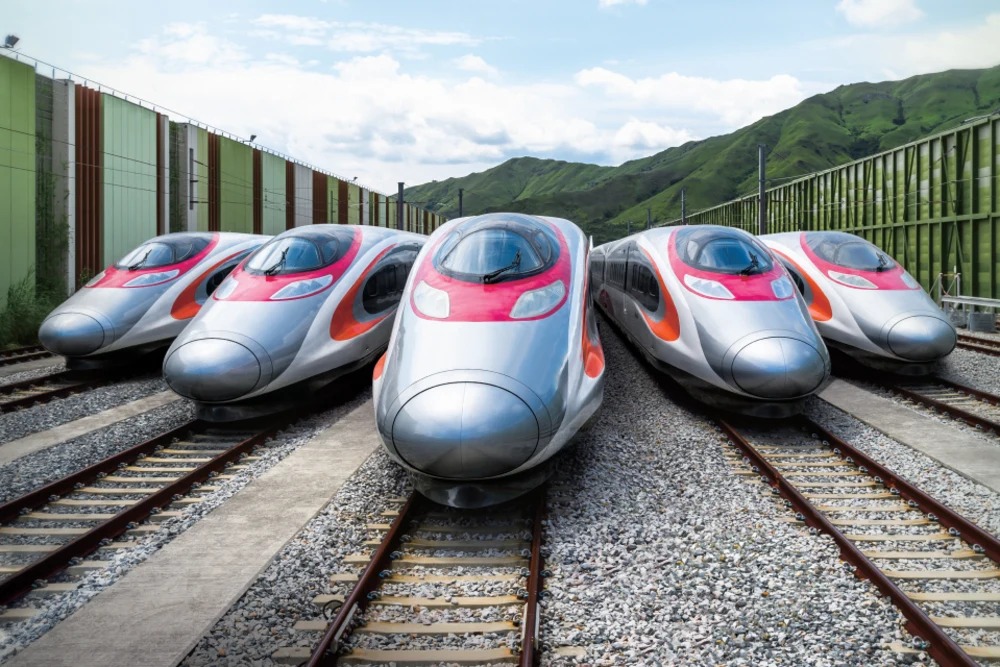
Image source: Hong Kong High-Speed Rail official website
Here’s how ticket changes work for high-speed rail tickets purchased on Trip.com:
Status | How to Make Changes |
|---|---|
Have not picked up the paper ticket for reimbursement | Make changes on the Trip.com booking page |
Paper ticket for reimbursement has been collected | Take your ticket to a staffed ticket window at the station to make changes. |
Tickets paid in cash | Bring your ticket to a staffed ticket counter at the station to make changes. |
Ticket Change Policy for Mainland China Trains and High-Speed Rail:
Time between the change request and the originally scheduled departure time | New Train Schedule | Change fee |
|---|---|---|
48 hours or more before departure | During the pre-sale period | Free |
Within 48 hours before departure | trains departing on or before the original ticket’s departure date (including that date) | Free |
24 to 48 hours before departure | Trains departing the day after the original ticket's departure date or later | 5% of the fare |
Within 24 hours prior to departure | Other trains departing on and after the day following the original ticket’s departure date | 15% of the ticket price |
Before 10:00 PM on the day of departure | Other trains on the original ticket's departure date | Free |
By 10:00 PM on the day of departure | Other trains departing on the day after the original ticket’s departure date and later | 40% |
After 24:00 on the day of departure | No changes allowed | - |
*The change fee is calculated based on the price of the new or original train ticket, whichever is lower.
Ticket Change Policy for Cross-Border Trains from Hong Kong West Kowloon:
Time between the change request and the originally scheduled departure time | New Train Schedule | Change fee |
|---|---|---|
30 minutes or more (45 minutes or more if departing from West Kowloon Station) | Trains within the advance booking window | Free |
Within 30 minutes (45 minutes if departing from West Kowloon Station) | No changes allowed | No changes allowed |
The departure time has already passed. | Changes not permitted | No changes allowed |
You can change your ticket on the Trip.com website or app. The steps are as follows:
Please note that any ticket changes must be made before departure, and some special-offer fares may not be eligible for changes. For details, please refer to the terms and conditions provided at the time of purchase.
Travelers can buy Hong Kong High Speed Rail tickets through a variety of channels; here are the main ways to book:
Sign in to the official MTR website, select your departure point, destination, and date, then follow the on-screen prompts to complete your ticket purchase. Payment options include credit cards and e-payment methods.
Trip.com makes booking high-speed rail tickets easy—purchase them on our website or in the app. The booking process is as follows:
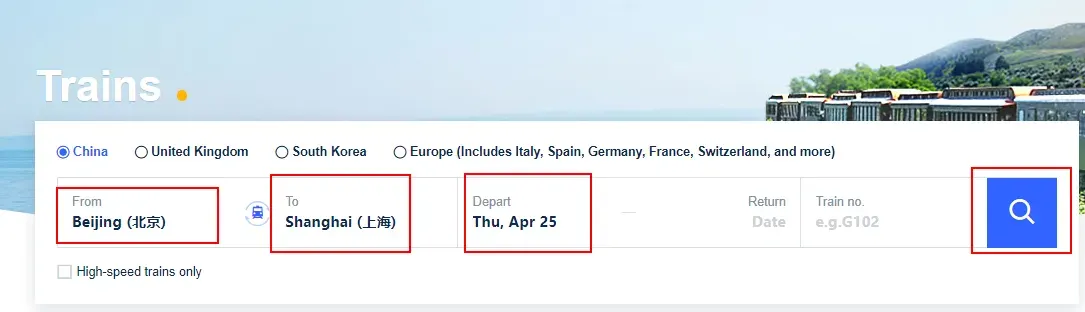
4. Browse the available trains and choose the departure that suits you
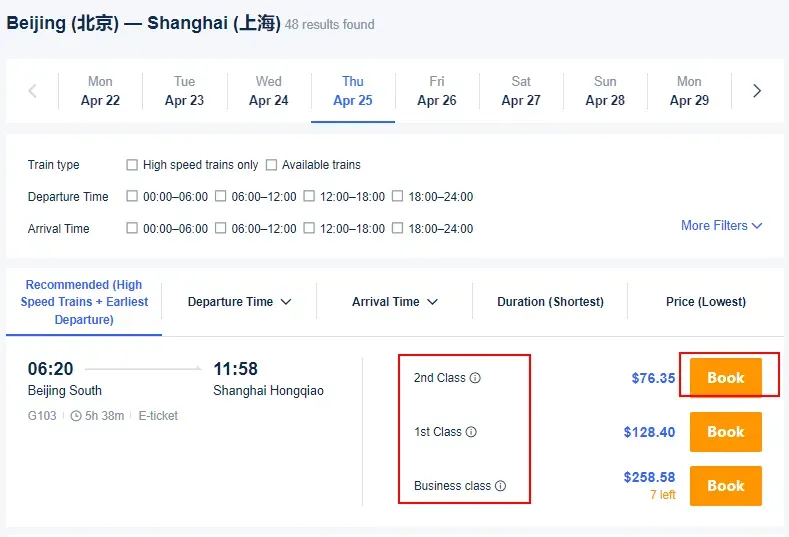
5. Enter passenger information, including full name, document number, and other details
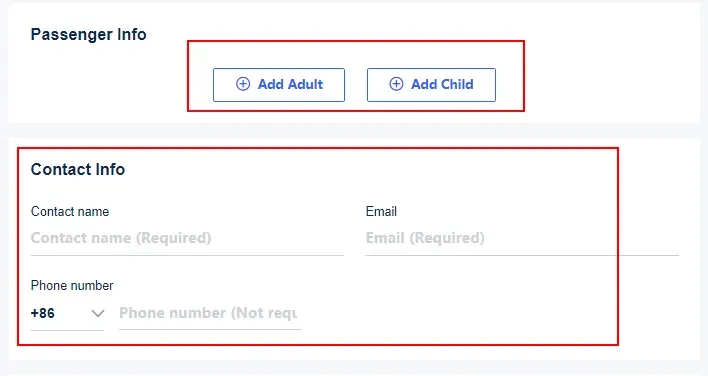
6. Choose your seat class, such as First Class or Second Class.
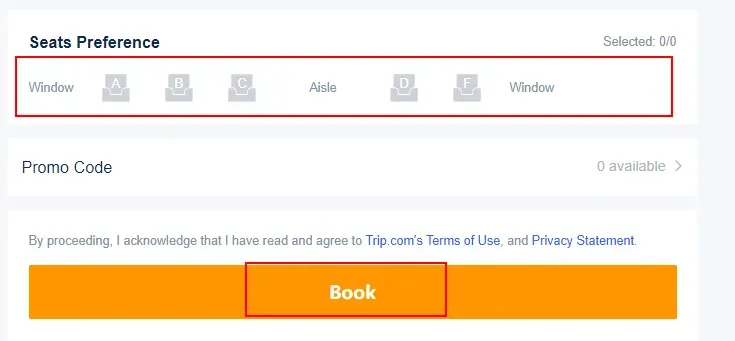
7. Review your order details and complete your payment
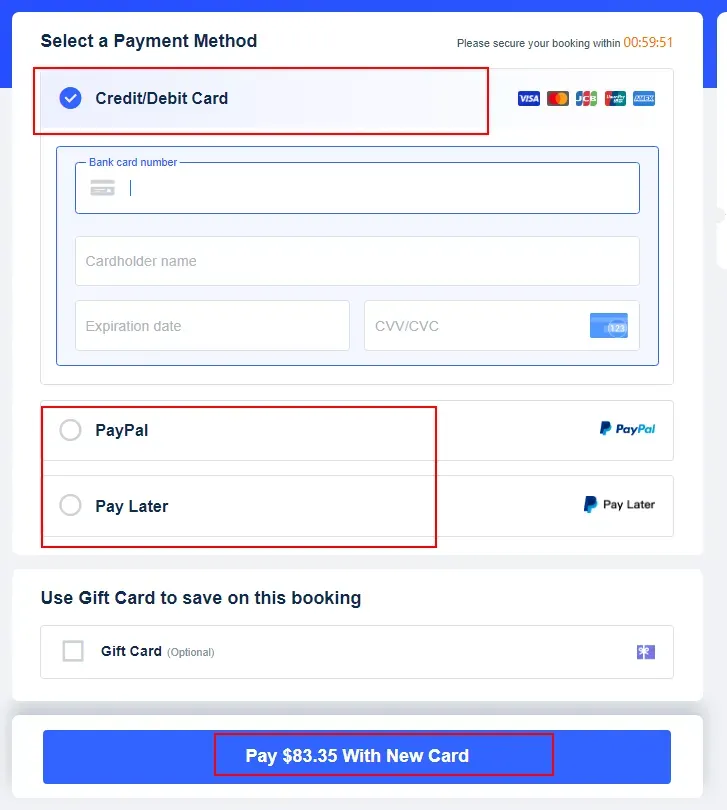
Payment methods include credit cards, Alipay, WeChat Pay, and more.
Head to the ticket counters or self-service machines at Hong Kong West Kowloon Station to purchase your tickets. You can pay with cash, credit cards, or electronic payments.